As a video editor, I would rather begin with a clean voice track than discover ten minutes into the timeline that the narration is full of false starts, note checks, and abandoned takes. Those interruptions are normal during recording. The problem is allowing them to travel into the main edit, where every audio decision becomes tangled with cuts, captions, graphics, and music.
I now use Audio Cutter AI for a content cleanup pass before I open my video editor. I remove the obvious recording debris, listen to the remaining narration in sequence, and export a working voiceover that is easier to build around. It does not replace sound mixing or detailed timeline work. It gives those later stages a cleaner starting point.
Why I Separate Content Editing From Video Editing
A long-form voiceover often includes several kinds of material I do not want in the finished video. The presenter may say, “Let me try that again,” read the same sentence twice, pause to check the script, or leave a long gap before a difficult name. If I wait until the video timeline is assembled, removing those moments can disturb synced visuals and markers.
Cleaning the spoken content first lets me establish what the presenter actually intends to say. I can then plan B-roll, screen recordings, and on-screen text around a stable narration. This is especially useful for tutorials, product explainers, and documentary videos in which the voiceover determines the pace of the picture.
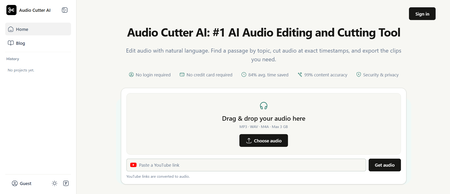
(Clean Voiceover Takes Before Video Editing with Audio Cutter AI)
My Pre Timeline Cleanup
I Preserve the Raw Recording
I never overwrite the original file. The raw take remains the reference for alternate readings, room tone, and any sentence I may want to restore. I make a working copy and keep a simple note showing which recording session it came from.
I Remove Long Production Pauses
My first pass targets the obvious gaps created by the recording process. These are not expressive pauses inside a sentence. They are the stretches where the speaker is reviewing a note, waiting for direction, or preparing another attempt.
I use a natural-language request to remove long silences, then preview the result. A tutorial voiceover usually needs a little space between steps, while an energetic channel intro can be tighter. If the narration suddenly sounds rushed, I revise the cut rather than accepting the first result.
I Cut False Starts and Duplicate Takes
Next, I remove sections the speaker has clearly replaced. If I have timestamps from the recording session, I can specify the exact ranges. When my notes describe the content instead, I search for the sentence or topic and listen around the proposed passage.
I pay attention to duplicate lines because the last take is not automatically the best one. Sometimes the first attempt is more natural even though the presenter chose to repeat it. I compare the alternatives before deciding which version to keep.
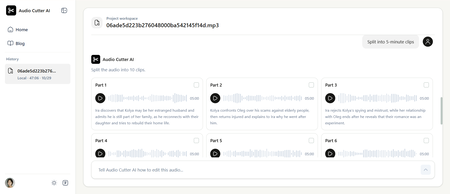
(Review Every Voiceover Join with Audio Cutter AI)
I Check Every Join
After the broad cleanup, I listen from beginning to end. A technically correct cut can still create a sudden change in energy, room tone, or breath. I extend a boundary when a word loses its opening sound, and I restore a small pause when two ideas need separation.
Headphones are essential for this pass. Small clicks and abrupt ambience changes may disappear through laptop speakers but become obvious once music and compression are added.
What Still Belongs in the Video Editor
Audio cleanup and final sound finishing are different jobs. I still use my editing software to synchronize narration with picture, adjust levels, add music, repair noise, and create fades. If the voiceover was recorded across several microphones or rooms, I may also need a dedicated audio tool to match the sound.
The purpose of the early pass is narrower: decide what spoken content stays and remove what clearly does not. Keeping that boundary prevents me from expecting one tool to handle the entire post-production process.
Exporting a Reliable Working Track
Once the narration is approved, I use Audio Cutter AI to export the cleaned file and bring it into the video project. I include the project name, speaker, recording date, and a version label in the filename. If a producer has not approved the copy yet, I mark it as a working cut rather than a final master.
I also keep a short edit log for anything that may need discussion, such as two usable readings of the same line or a sentence that sounds incomplete. That gives the director a clear choice without forcing another review of the raw recording.
A Cleaner Beginning for the Whole Edit
Removing false starts before picture editing is a small workflow decision with a wide effect. The timeline is easier to read, captions are based on the intended script, and visual timing does not have to accommodate material that will later disappear.
Audio Cutter AI(https://audiocutter.ai/) helps me turn a recording session into a dependable working narration, while the creative timing, sound treatment, and final quality control stay where they belong: in the hands of the editor.