If you’re the type of person who finds new music in the most random places, a producer teasing an unreleased hook on Instagram, a live session on YouTube at 2 a.m., a guitar riff buried inside a vlog, you already know the problem.
The internet is amazing at serving you a moment… and terrible at helping you keep it.
As an indie-friendly music discovery corner of the web, we’re all about catching those moments and turning them into something useful: a reference track, a remix idea, a lyric cadence you want to study, or just a little “whoa, what is that sound?” note for later. And yeah, sometimes you want the audio saved offline so you can listen on your own time.
So let’s walk through a clean, practical way to download Instagram audio and YouTube audio, while staying respectful of artists, rights, and common sense.
First: a quick reality check (so you don’t do anything dumb)
Downloading audio isn’t automatically “bad,” but what you do after matters.
Use these tips for:
- Your own uploads
- Audio you have permission to save
- Copyright-free / Creative Commons material
- Personal reference (learning, practicing, tagging inspiration)
Try not to use downloaded audio for:
- Re-uploading someone else’s work as your own
- Posting full tracks you don’t own
- Anything that steps on the original creator’s lane
If you’re ever unsure, the safest move is simple: support the artist and ask for permission.
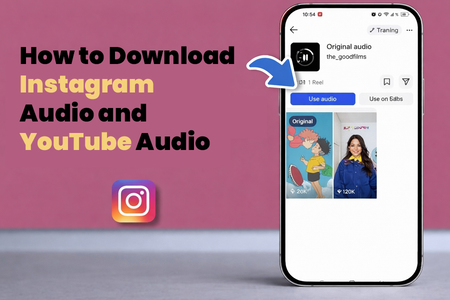
Instagram: “Saved Audio” vs actually downloading audio
Instagram makes it easy to save audio inside the app… but saving audio isn’t the same as having an audio file on your device.
Option A: Save the audio inside Instagram (fastest, no mess)
If you just want to remember a sound:
- Open the Reel that has the audio you like
- Tap the audio title (top or bottom, depending on the UI)
- Hit Save audio
That’s perfect for keeping a running list of sounds you might use in future Reels.
Option B: Download audio from Instagram using INDownloader.app
When you actually need the file (or you want to extract it for editing), a practical route is using a tool built for grabbing Instagram media from a link.
INDownloader.app positions itself as a tool to download Instagram content (and it specifically mentions audio as well).
Here’s the clean workflow:
- Find the Reel/post that contains the audio you want (ideally something you’re allowed to download)
- Tap Share → Copy link
- Open indownloader.app audio download tool
- Paste the link and download the media
- If you get a video file (common), extract the audio using your editor of choice (CapCut, Premiere, Audacity, etc.)
Quick tip: If a site asks you to log in with your Instagram password, bounce. A legit downloader shouldn’t need your credentials.
Mini checklist for creators:
- Save the audio file in a folder like Audio References / Instagram
- Rename it with something searchable: ArtistName_Snippet_TempoOrVibe
- Add a note in your phone: “Use for chorus cadence idea” or “Drum groove reference”
YouTube: the best way to grab audio depends on what you’re doing
YouTube is basically the world’s biggest unofficial record store… plus tutorials, live sets, radio shows, behind-the-scenes footage, and tiny artists uploading masterpieces to 300 views. If you’re using YouTube for music discovery, you’ll eventually want an offline copy of something.
Option A: The “official” lane (great when it fits)
If it’s your own upload, YouTube Studio often lets creators download their own content.
If it’s just for listening offline, YouTube’s official offline features (where available) are the cleanest way to stay on the right side of things.
Option B: Download YouTube audio using YouTubeMP4.to
If you need a straightforward link-based tool, youtubemp4.to youtube mp4 explicitly states it supports multiple video and audio formats (including M4A) and that you can download audio separately.
Steps:
- Copy the YouTube video link
- Go to youtubemp4.to
- Paste the URL
- Choose an audio format option (look for M4A or audio-only)
- Download and save
Why M4A is your friend: for a lot of use cases, M4A keeps quality solid without bloating file size, and it plays nicely on most devices.
A few quality tips that actually matter (especially for music people)
If you’re downloading audio to study it, sample it (with permission), or use it as a mix reference, quality matters more than people think.
- Avoid converting the same file over and over (each conversion can degrade it)
- Prefer M4A/AAC when available for clean audio at reasonable size
- If you’re extracting audio from an Instagram video, export once at a decent quality and stick with that file
And if you’re grabbing something just to remember a melody? Don’t overthink it. The best workflow is the one you’ll actually use.
How to turn downloaded audio into something useful (not just “more files”)
Here’s a simple way to build an inspiration library that doesn’t become a junk drawer:
- Create 3 folders: Hooks, Drums/Grooves, Vocal Ideas
- Drop files in immediately (don’t leave them in Downloads)
- Add one sentence of context in the filename or a notes app:
- “Intro energy, crunchy guitars”
- “Vocal rhythm for verse”
- “Kick pattern at ~140 BPM”
That little bit of organization is how you go from scrolling to creating.
The natural next step: use the audio to build content (and grow the right way)
Here’s the part a lot of indie artists miss: saving audio is only half the win. The other half is turning that inspiration into consistent output, Reels, Shorts, snippets, behind-the-scenes clips, the stuff that makes listeners feel like they found you early.
If you’re trying to do that consistently, this is where an audience growth service can make sense in a non-sketchy way: planning your posts, tightening your hooks, improving captions, tracking what’s working, and keeping you consistent when life gets chaotic. Think “help me show up and communicate,” not “fake numbers.” (Real fans can smell fake a mile away.)
A simple content loop:
- Save a sound / reference
- Create a 10–20 second clip inspired by it (your riff, your spin, your message)
- Post it with a clean caption and a clear call-to-action (“Full track in bio”, “Dropping Friday”, “Need feedback”)
- Repeat weekly so people learn your pattern, and algorithms do too
Wrap It Up
Save the sound, but don’t forget the source. If a Reel or a YouTube clip lights you up, follow the artist, stream the release, and share it the right way. Use indownloader.app and youtubemp4.to for your own reference workflow, then flip that inspiration into something original, a cover, a remix idea (with permission), a behind-the-scenes clip. And if you’re pushing your music online, a smart marketing service can help you stay consistent so those sparks don’t die in your drafts.